Criteria for Comparing OTT Download Features Based on Availability Periods, Storage Devices, and Playback Restrictions
Downloading content for offline viewing has become a standard feature across almost all over-the-top (OTT) streaming services. However, the presence of a "Download" button on an app does not guarantee unrestricted viewing access. Discrepancies in download expiration times, storage device flexibility, and technical playback restrictions between platforms can quickly lead to a frustrating experience. To accurately evaluate the quality of an OTT platform, users must analyze three core technical criteria: Availability Periods, Storage Devices, and Playback Restrictions.
The Three Pillars of Evaluating OTT Offline Features
Subscribers frequently limit their evaluation of streaming services to monthly subscription costs or overall catalog size. However, for frequent travelers, commuters, or individuals living in areas with unstable internet connectivity, the offline experience is often the deciding factor.
A well-designed download feature strikes a balance between user convenience and the strict Digital Rights Management (DRM) requirements imposed by content creators. Evaluating services against the three criteria below creates a comprehensive matrix to determine which platform best meets your offline entertainment needs.
Criterion 1: Availability Periods & Playback Windows
The availability period defines how long a downloaded video file remains stored on your device before it automatically expires or requires an internet connection to refresh its security license.
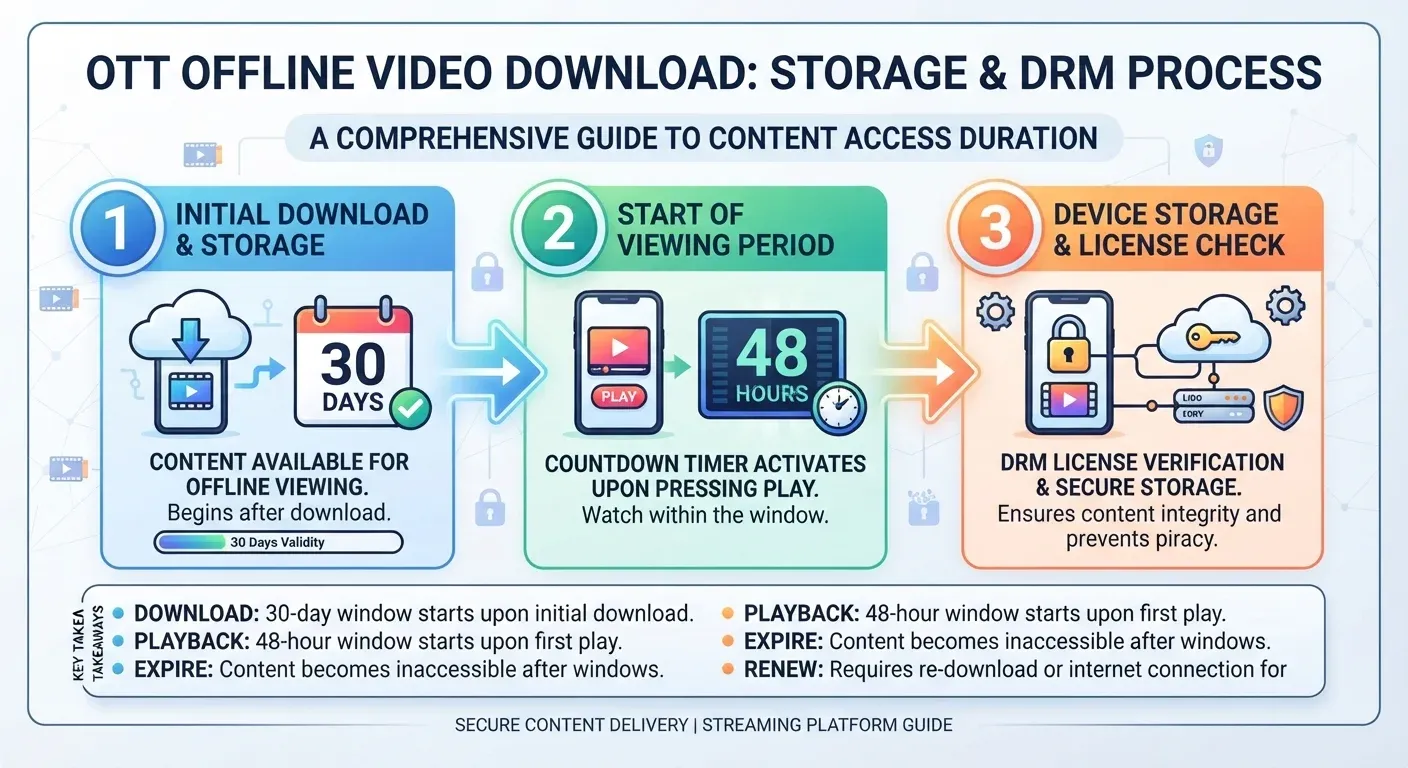
Initial Storage Limit (30 Days) vs. Playback Countdown (48 Hours)
Most OTT platforms enforce a two-tiered time management mechanism:
- Unwatched Storage Lifetime: Downloaded titles typically remain valid for up to 30 days on your device. As long as you have not pressed the Play button, the file remains in a ready-to-watch state.
- Post-Play Countdown Window: The moment you press play—even for just a single second—the application triggers a countdown timer, most commonly set to 48 hours (or 24 hours for certain high-profile studio licenses). Once this timer expires, the video locks automatically, even if you have not finished watching it.
DRM License Verification and Periodic Online Requirements
Even when a video file is fully stored on your local drive, the OTT application uses an encrypted system clock to verify subscription status. If your device remains offline continuously for more than 7 to 30 days, the DRM framework flags the file as expired and requires the device to connect to Wi-Fi or cellular data to execute a "License Refresh." Consequently, users cannot store hundreds of episodes and watch them completely offline for months without periodic internet access.
Criterion 2: Storage Devices & OS Limitations
The destination storage path dictates how much content you can save locally and how efficiently you can manage your device's memory.
Expandable MicroSD Storage on Android vs. iOS Closed Ecosystems
Architectural differences between mobile operating systems directly impact storage flexibility:
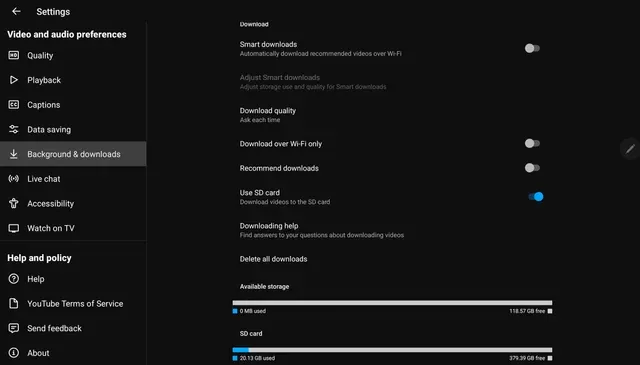
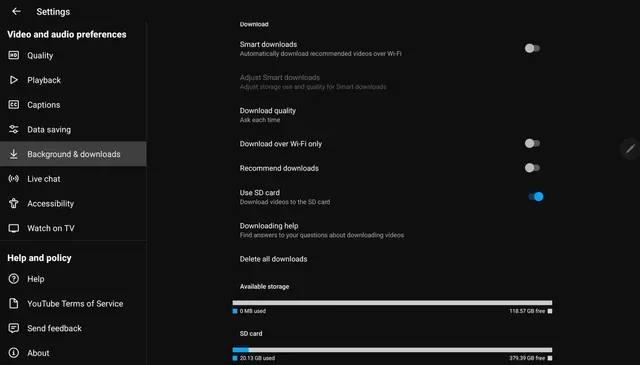
- Android OS: Numerous OTT applications allow users to select an external MicroSD card as the primary download path. This capability is invaluable for smartphones with 64GB or 128GB of internal storage when attempting to save entire seasons of 1080p shows.
- iOS / iPadOS: Apple's strict application sandboxing rules force all downloaded media to remain inside internal system storage. iPhone and iPad users cannot transfer downloaded media files to external drives or portable SSDs, requiring them to clear space manually on their main drive.
Storage Efficiency and Advanced Compression Codecs (1080p / AV1 / H.265)
Leading OTT platforms employ modern compression algorithms (such as AV1 or HEVC/H.265). These codecs reduce file sizes by 30% to 50% compared to legacy formats while preserving 1080p visual detail. A standard two-hour movie encoded in legacy formats may consume up to 2GB, whereas an efficiently compressed stream occupying the same resolution requires roughly 800MB.
Criterion 3: Playback Restrictions & Technical Obstacles
Playback restrictions generate the most common user friction due to anti-piracy measures built into streaming software.
Blocking External Displays (AirPlay, Chromecast, HDMI Passthrough & HDCP)
Users frequently experience issues when downloading movies to a phone, connecting the phone to a hotel TV via an HDMI cable or AirPlay, and receiving only a black screen or playback error.
This occurs because most OTT apps explicitly block external video output for offline media files to prevent unauthorized copying or screen recording. The downloaded license is restricted strictly to rendering on the primary physical screen of the device that executed the download.
Download Device Caps and Re-download Limits
Content licensing agreements force streaming providers to implement two strict limits:
- Device Capacity Caps: A premium tier account might allow login on 5 devices simultaneously, but limit offline storage rights to only 2 or 4 registered hardware devices. To download movies on a new tablet, you must first clear all downloads from an existing registered phone.
- Annual Re-download Quotas: Due to licensing constraints with film studios, certain movies can only be downloaded 2 to 3 times per calendar year per account. If you download, delete, and re-download a title beyond this limit, the application will lock downloads for that specific title until the restriction resets the following year.
OTT Offline Feature Matrix Overview
Technical Criterion | Basic Standard | Premium / Optimal Standard | Real-World User Impact |
|---|---|---|---|
Unwatched Expiration | 7–14 days | 30 days | Determines lead time when preparing content before a travel trip |
Post-Play Window | 24 hours | 48 hours | Sets the timeframe to finish watching a started title |
External Storage Support | Internal Storage Only | MicroSD Selection (Android) | Frees up phone system memory on budget devices |
External Display Output | Locked by HDCP | Supported on verified devices | Determines ability to output video onto hotel TVs |
Download Device Cap | 1–2 registered devices | 4–6 registered devices | Dictates suitability for multi-user family accounts |
Step-by-Step Pre-Travel Download Verification Checklist
To avoid unexpected interruptions during long trips, execute the following pre-departure checklist:
- App Update and License Refresh: While connected to stable Wi-Fi, open your OTT app and play each downloaded video for 2 seconds to refresh all DRM certificates.
- System Memory Clearance: Ensure your internal storage or SD card retains at least 10% free capacity. The operating system requires buffer space (cache) to decode high-bitrate video streams smoothly.
- Airplane Mode Test: Turn on Airplane Mode (disconnecting Wi-Fi and Cellular Data entirely), then navigate to your app's "Downloads" section to initiate playback. This reveals potential licensing errors before you leave home.
- Account for Regional Licensing (Geo-blocking): When traveling internationally, downloaded titles can become restricted or hidden due to local territorial rights as soon as the app connects to an IP address in a foreign country. Complete watching territory-sensitive content before connecting to foreign networks.
FAQ - Frequently Asked Questions
1. Why does a downloaded movie fail to play when my device is completely offline?
This issue generally stems from two causes: either the 48-hour post-play timer was activated previously without your knowledge, or the file's DRM license expired and requires a brief online connection to re-verify your active subscription status.
2. Can I use an adapter cable to connect my phone to a TV and watch downloaded movies?
Most OTT apps block video output over wired adapters using High-bandwidth Digital Content Protection (HDCP). When outputting an offline file via HDMI, the app usually plays only audio or displays a black screen to prevent illegal distribution.
3. How do I switch the default download location to an SD card on an Android phone?
Open your OTT app -> navigate to Settings -> select Download Location or Storage -> switch from Internal Storage to SD Card. Note: Your MicroSD card should meet Class 10 or U1/U3 speed ratings to prevent playback stutter.
4. What is the difference between a login device limit and a download device limit?
A login limit manages how many hardware devices can access the platform simultaneously. A download device limit controls the specific number of physical devices authorized to store offline files in local memory. An account may allow 10 logged-in devices, but restrict offline downloads to only 2 designated devices at a time.